
Why This Guide Exists
Most people learn AI the messy way: a viral prompt here, a random tutorial there, inconsistent results, and eventually they give up. The problem isn't the tools — it's the lack of structure. Scattered learning gives scattered results.
This guide gives you the whole map in one place: a specific tool each day, a specific thing to build, and a system that gets more valuable as you go. By the end, the question stops being “have you tried AI?” and becomes “can you show a finished project built with it?” — the version that helps your studies, your work, and your job search.
How the Challenge Works
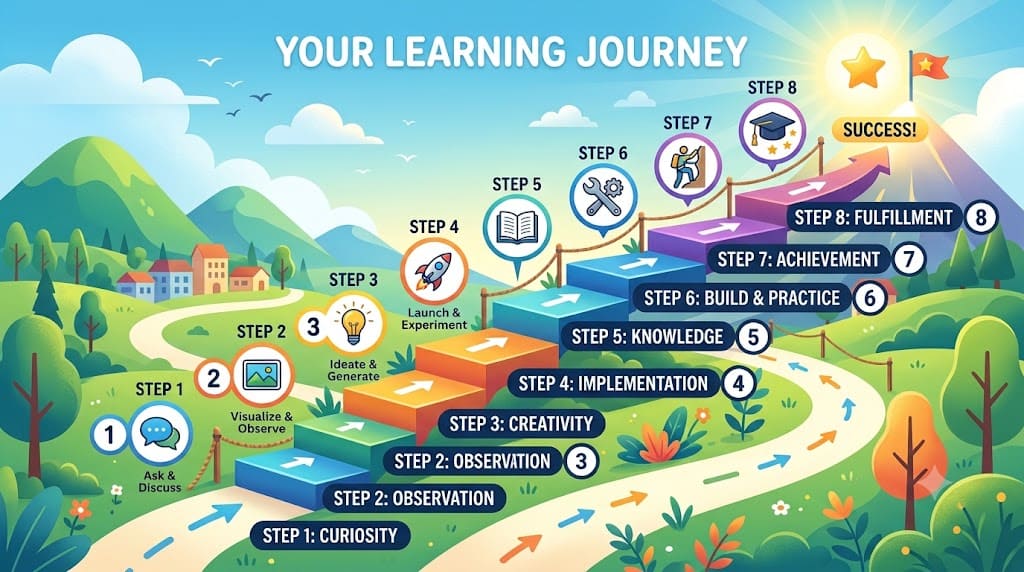
Twenty-one days. Twenty tools. Five phases. Each day takes roughly 45–90 minutes and includes a short lesson, a quick knowledge check, and two hands-on tasks — enough for a real skill, short enough to fit around a job or classes.
| Phase | Days | Focus | What you walk away with |
| 1 | 1–5 | AI foundations & research assistants | Asking better questions and verifying answers before trusting them |
| 2 | 6–10 | Productivity, reasoning & visuals | Using AI inside real work tasks and starting a visual brand |
| 3 | 11–15 | Multimodal content & knowledge systems | Combining text, image, video, and copy into one content flow |
| 4 | 16–20 | Polish, presentations & automation | Turning rough AI output into client-ready systems |
| 5 | 21 | Capstone | A complete, presented, end-to-end AI project |
The Three Skills That Run Through All 21 Days
1. Trust, then verify. AI predicts convincing-sounding text, which means it can be confidently wrong. You build the reflex of checking anything that matters — names, numbers, facts, quotes — before you rely on it.
2. One prompt formula, reused everywhere. A strong prompt gives the AI five things: a role, a task, context, a format, and a tone. Learn it once and it works across every tool.
| Example Prompt | “Act as my productivity coach. Here are my tasks for today: [list]. Build a realistic plan from 4 PM to 9 PM in a table with time, task, and a short reason for each. Keep the tone calm and encouraging.” |
3. Build pipelines, not one-off prompts. Real AI work is a chain: research, verify, draft, design, polish, package. Across the 21 days you assemble that pipeline instead of firing off single prompts.
The Full 21-Day Walkthrough
Here's every day, grouped by phase. Notice how each day feeds the next — nothing you make is wasted.
Phase 1 · Days 1–5 — Foundations & Research
Day 1 — AI & Generative AI Foundations
Understand what generative AI really is: it predicts patterns rather than “knowing” facts, which is why it can sound confident and still be wrong. You learn prompting basics, what a hallucination is, and three safety rules — don't share private data, check anything important, and treat AI as a draft partner.
You build: A one-page AI basics and safety sheet.
Day 2 — ChatGPT
Turn the five-part prompt formula into a reusable set you'll use every day after this — for planning, summarizing, rewriting, brainstorming, and drafting.
You build: A 5-prompt productivity library.
Day 3 — Google Gemini
Feed it documents and longer content and pull out structured, usable research instead of a wall of text.
You build: A document-based research brief.
Day 4 — Claude
Use it for longer reasoning, clean outlines, and clear summaries of dense material.
You build: A structured long-form outline and summary.
Day 5 — Perplexity
Get source-based answers with clickable citations so you can verify claims yourself — the habit from Day 1, made practical.
You build: A verified, source-cited research note set.
Phase 2 · Days 6–10 — Productivity, Reasoning & Visuals
Day 6 — Microsoft Copilot
Bring AI directly into Word, Excel, PowerPoint, and Outlook so it helps inside the tools you already use.
You build: A productivity pack across Office apps.
Day 7 — Grok
Pull in real-time trends and current context for anything time-sensitive.
You build: A real-time trend and context brief.
Day 8 — DeepSeek
Use step-by-step reasoning and beginner-friendly Python (run in a free online compiler — no coding background needed) to solve a study or business problem.
You build: A worked, reasoned solution.
Day 9 — Canva Magic Studio
Create branded visuals — a social post, a flyer, and a simple style direction.
You build: A branded visual kit.
Day 10 — Midjourney
Generate consistent, professional image concepts around one idea.
You build: A 3-image concept set.
Phase 3 · Days 11–15 — Multimodal Content & Knowledge Systems
Day 11 — ChatGPT Images
Edit and adapt visuals so they're campaign-ready, not just first drafts.
You build: Two campaign-ready visuals.
Day 12 — Synthesia
Turn a short script into a branded AI avatar video without a camera.
You build: A branded AI avatar video.
Day 13 — Pictory
Repurpose longer content into captioned short-form clips for social.
You build: A set of captioned short-form clips.
Day 14 — Jasper
Draft marketing copy quickly, then shape it to a real audience and offer.
You build: An email, ad, and landing-page copy pack.
Day 15 — Notion AI
Organize everything you've made so far — notes, assets, calendar, next actions — into one hub. This is where scattered outputs become a system.
You build: A connected knowledge hub.
Phase 4 · Days 16–20 — Polish, Presentations & Automation
Day 16 — Grammarly & QuillBot
Polish your writing for clarity and run an originality check before anything goes out.
You build: A final, polished, originality-checked copy set.
Day 17 — Beautiful.ai
Turn your content into a clean, client-ready presentation deck.
You build: A presentation deck.
Day 18 — Fathom
Capture meeting notes, action items, and a follow-up message automatically.
You build: Meeting notes and a follow-up message.
Day 19 — Zapier AI
Automate moving information between apps — entirely no-code — so tasks run without copy-paste.
You build: A live no-code automation.
Day 20 — Chatfuel
Build a simple business chatbot for FAQs, leads, or support routing.
You build: A working chatbot flow.
Phase 5 · Day 21 — The Capstone
Day 21 — End-to-End AI Workflow
Connect everything — research, writing, design, video, deck, automation, and chatbot — into one complete workflow, then present it. This is the piece you show a professor, a manager, or an interviewer.
You build: A complete, presented portfolio project.
The 20 Tools at a Glance
Grouped by the job they do, so you always know which one to reach for:
| The Job | Tools | Best At |
| Chat, writing & reasoning | ChatGPT, Claude, Gemini, Grok, DeepSeek | Drafts, long-document analysis, real-time context, reasoning |
| Research & verification | Perplexity | Source-based answers with clickable citations |
| Office productivity | Microsoft Copilot | Word, Excel, PowerPoint, Outlook, Teams |
| Design & visuals | Canva, Midjourney, ChatGPT Images | Brand kits, image concepts, campaign edits |
| Video | Synthesia, Pictory | Avatar videos, short-form clips |
| Copy & polish | Jasper, Grammarly, QuillBot | Campaign copy, grammar, originality checks |
| Organization & decks | Notion AI, Beautiful.ai | Knowledge hubs, client-ready presentations |
| Meetings & automation | Fathom, Zapier AI, Chatfuel | Meeting notes, no-code automation, chatbots |
Common Mistakes to Avoid
- Trusting the first answer completely. Confident ≠ correct. Verify anything important.
- Collecting prompts instead of building skills. A saved prompt you don't understand won't help next week.
- Trying every tool at once. One tool, one day. The pacing is the point.
- Sharing private or sensitive information. Treat the chat box like a public place.
- Finishing with notes instead of a project. Every day ends in something you made — so you finish with proof.
How to Get Started
- Set a daily slot. 45–90 minutes, ideally the same time each day.
- Start with free tools. Most days run on free tiers or trials.
- Do Day 1 first, properly. It's the foundation everything else stands on.
- Keep everything in one place. One doc where your daily builds live becomes your capstone by Day 21.
- Share your progress. Posting what you build keeps you accountable.
Frequently Asked Questions
Do I need coding experience?
No. The one day that touches Python (DeepSeek) uses beginner prompts and a free online compiler, and the automation day (Zapier) is entirely no-code.
Do I have to pay for every tool?
No. Most days can be completed on free tiers or free trials — it's built for beginners without an existing subscription stack.
Can I do the whole thing in one sitting instead of 21 days?
You can read this guide start to finish anytime, but the hands-on builds work best spaced out. Momentum from small daily wins beats one exhausting marathon.
What if I miss a day?
Each day is self-contained, so you can catch up at your own pace. The five phases build on each other, so it's best to move roughly in order.
What do I walk away with?
A capstone portfolio project pulling together research notes, written content, visuals, video, a presentation, an automation, and a chatbot flow — plus a certificate for completing the program.
Twenty-One Days From Now
You could spend the next three weeks collecting scattered AI tips that never quite add up — or you could spend them building: one tool a day, one small project a day, connected into a finished portfolio piece you can put in front of a professor, a manager, or an interviewer.
The tools are the easy part. Using them well, with something real to show for it, is what moves your studies, your work, and your career forward.
| Ready to start? Begin the AIshala 21-Day AI Challenge today and build your project one tool at a time. Twenty-one days from now you won't just have tried AI — you'll have a working, end-to-end AI workflow, and the certificate and portfolio piece to prove it. Share your progress with #AIshala21Days. |